
How to Reduce Manual CRM Data Entry in Wealth Management
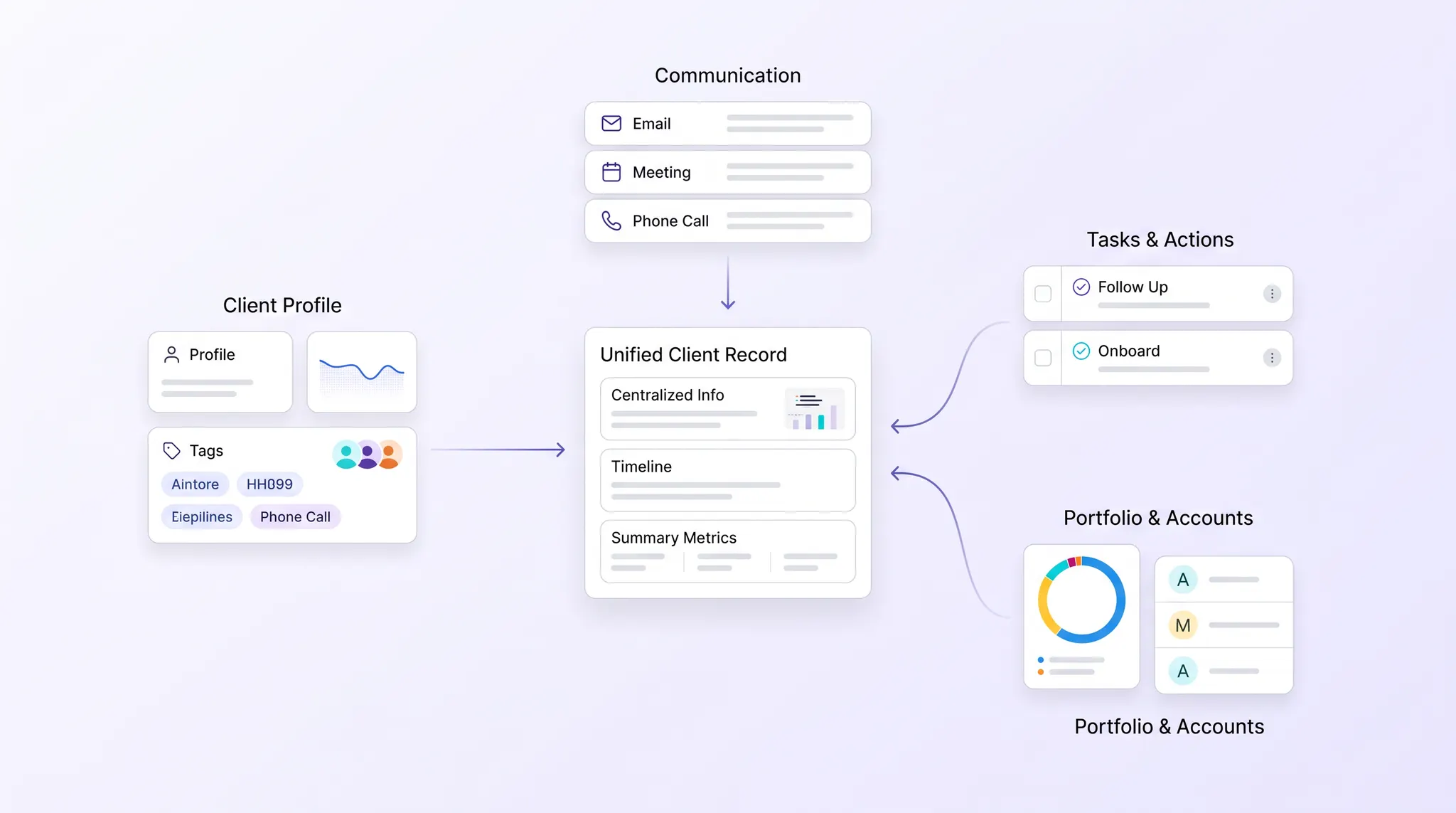
A practical framework for replacing repeated CRM entry with governed data capture, human review, synchronization, and visible exception handling.
Reducing manual CRM entry does not mean allowing software to change client records without review. It means capturing information once at the most reliable source, mapping it into a governed client record, routing uncertain changes to a person, and preserving who changed what.
That operating model removes transcription while keeping judgment and accountability visible.
It also addresses a common failure pattern. A client detail appears in meeting notes, an email, an account-opening form, a custodian record, and a spreadsheet. Different teams update different systems, and the CRM becomes either incomplete or another place to repeat the same work.
Search demand shows that firms are actively looking for practical answers. Queries such as “how do wealth management firms reduce manual CRM entry” and “how to reduce manual data entry in wealth management” are already generating impressions for OneVest. The opportunity is to redesign how information enters and moves through the client lifecycle.
1. Define an authoritative source for every field
Start with the record, not the automation.
List the fields teams rely on, such as legal name, household relationship, contact details, account status, risk profile, KYC information, advisor assignment, communication history, and service preferences. For each field, define:
- The authoritative source.
- Who can approve a change.
- How often it should refresh.
- Whether the CRM may write back to the source.
- What evidence must be retained.
The CRM does not need to own every field. It needs a clear rule for where the current value comes from.
Without that decision, synchronization can spread conflicts faster rather than resolving them.
2. Map duplicate entry by workflow
Do not begin with a generic goal to “automate the CRM.” Follow one real process.
Take client onboarding, an annual review, a beneficiary update, or a service request. Track every point where someone copies, reformats, checks, or re-enters information. Note the original source, destination, owner, and reason.
This exposes several different problems:
- Information captured in an unstructured format.
- A system that cannot exchange the required field.
- A control that requires human review.
- A missing identity match between systems.
- A team using a spreadsheet because the formal workflow is unclear.
Each problem needs a different response. A workflow map prevents the firm from automating around a broken process.
3. Capture information at the point of origin
The best time to structure information is when it first enters the firm.
Examples include:
- Extracting client details from an uploaded document.
- Converting meeting notes into proposed CRM updates.
- Connecting approved email and calendar activity to the client timeline.
- Pulling account status from a custodian feed.
- Reusing verified KYC information in a new workflow.
OneVest Client Management centralizes client data, holdings, KYC information, documents, and communications. Its current product workflow can extract information from uploaded documents, meeting notes, custodian feeds, and connected systems. Advisors review extracted KYC fields before they are saved.
That review step matters. Extraction can reduce typing, but it should not hide uncertainty.
4. Separate automatic updates from review-required changes
Not every field carries the same risk.
A meeting timestamp, completed task, or system-generated status may be safe to record automatically. A legal name, tax identifier, suitability answer, beneficiary instruction, or account authority may require evidence and explicit approval.
Create update classes such as:
- Automatic: trusted system events written without manual intervention.
- Confirm: a proposed update shown to an advisor or operations user.
- Approve: a controlled change that requires a designated reviewer.
- Investigate: conflicting or incomplete information routed as an exception.
This design gives teams speed where the source is dependable and control where the consequence is higher.
5. Resolve identities before synchronizing records
A synchronization process must know that “Robert Chen,” “Bob Chen,” and a custodian account under an associated trust belong to the correct relationship.
Use stable identifiers and explicit household relationships rather than relying on names alone. Define rules for duplicates, merged records, changed emails, shared addresses, trusts, businesses, and multi-advisor relationships.
Identity mistakes can create more work than manual entry. Test matching logic with difficult household structures before rolling it across the book.
6. Capture communications and workflow events automatically
Advisors should not have to retype a client interaction after the system already observed it.
Where policy permits, connect approved email, calendar, messaging, and workflow channels to the client activity history. Record the source, timestamp, participants, related client, and resulting task or decision.
OneVest can capture email, calendar, Slack, and Microsoft Teams activity in a shared Pulse feed with attribution and edit history. Firms should still determine which channels are approved and how communications are retained under their registration and policies.
FINRA Rule 4511 requires member firms to make and preserve required books and records. FINRA’s books and records guidance also emphasizes that required records must remain legible, true, accurate, complete, and protected. Registered investment advisers have separate obligations under Advisers Act Rule 204-2. Firms should validate their exact requirements with compliance counsel.
7. Route exceptions instead of failing silently
A reliable workflow should make unresolved work visible.
Examples include:
- A required field is missing.
- Two systems disagree.
- A source feed is delayed.
- A client cannot be matched confidently.
- A user lacks permission to make a change.
- A write-back fails.
Each exception needs an owner, status, timestamp, and resolution path. The workflow should preserve the original value and proposed change so reviewers can understand the issue without reconstructing it.
The OneVest Operations Workspace centralizes approvals, exceptions, and firm-wide workflow status for home-office teams.
8. Measure record quality, not only time saved
Time saved is useful, but it is not enough. Track whether the record is becoming more dependable.
Useful measures include:
- Percentage of key fields with a defined source.
- Number of duplicate or unmatched records.
- Age of critical client data.
- Proposed changes awaiting review.
- Correction rate after automated extraction.
- Failed synchronization events.
- Workflows blocked by missing information.
These measures tell the firm whether automation is improving the operating record or merely moving work out of sight.
Build one governed client record
The goal is not a CRM that fills itself with unreviewed information. The goal is a current, explainable client record that receives trusted data from the systems and interactions where work already happens.
OneVest Client Management connects client profiles, holdings, KYC information, documents, communications, and workflow history while keeping advisor review and auditability in the process.