
How to use AI in wealth management
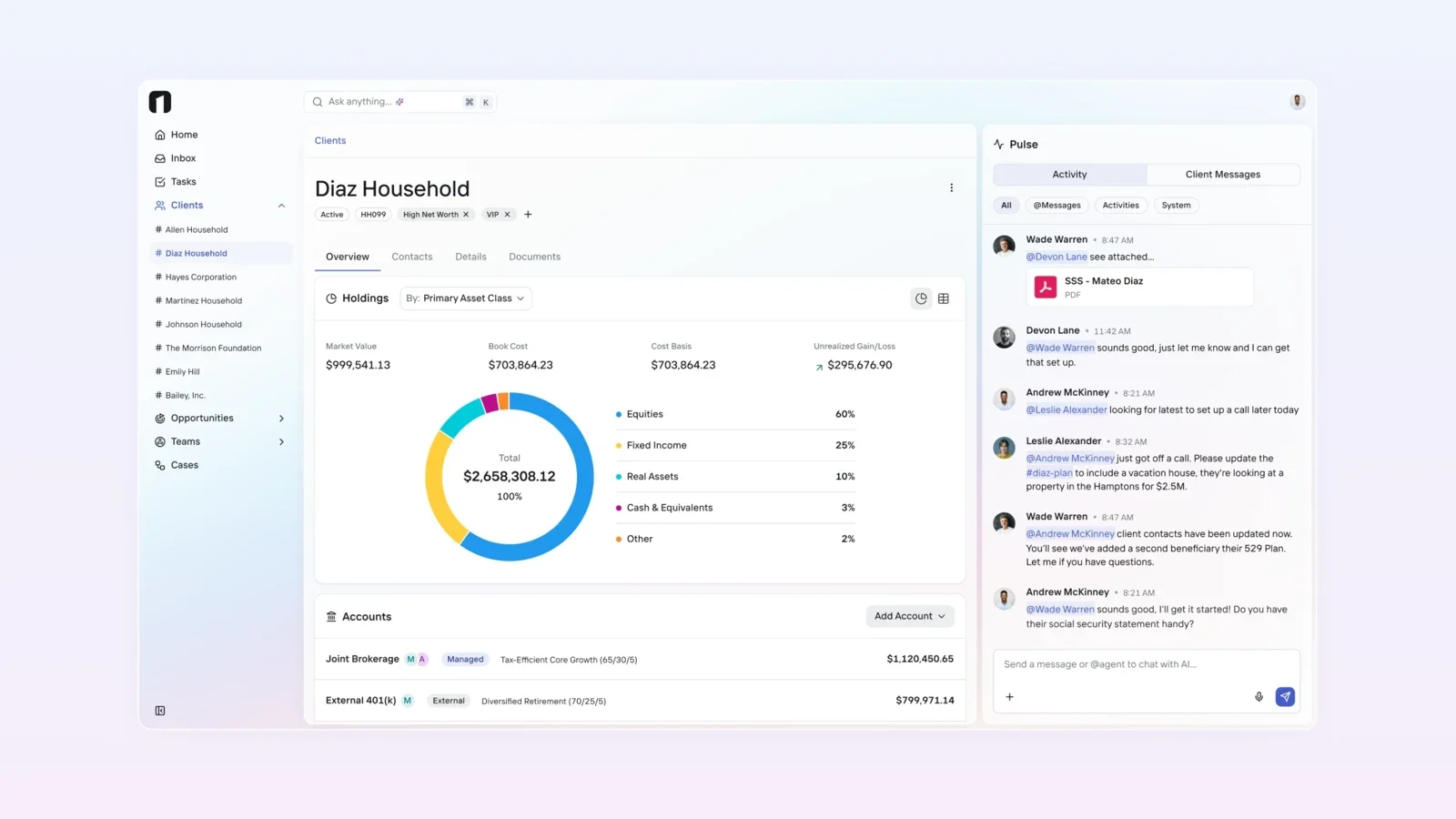
A practical guide to using AI in wealth management: where to start, five everyday use cases, how to match oversight to what AI can do, and the controls regulators expect.
The most practical way to use AI in wealth management is to point it at work your team already does every day: preparing for meetings, finding client context, summarizing documents and activity, and moving routine service requests forward. Start with tasks where a person can check the output quickly, connect the AI to the same client data and permissions your team uses, and add more autonomy only when your oversight can keep up.
That is also where the industry has started. FINRA's 2026 Annual Regulatory Oversight Report says member firms have focused generative AI on efficiency gains in internal processes and information retrieval, and that the top use case it has observed is summarization and information extraction.
Start with the work, not the model
Most AI pilots stall because they start with a tool and look for a problem. Start instead with a list of recurring tasks and ask three questions about each one:
- How often does it happen, and how long does it take today?
- Where does the information come from, and is it already in one place?
- How quickly can a person tell whether the AI's output is right?
Tasks that score well on all three are good first candidates. A meeting brief built from data your team can see is easy to check. An investment recommendation is not, and it carries obligations that a pilot should not take on.
Five practical ways to use AI in a wealth firm
1. Prepare for client meetings
Before a review, an advisor often opens the CRM, the custodian portal, recent emails, open tasks and notes from the last meeting. AI can pull the available context into one brief: recent activity, open follow-ups, life events the client mentioned, and documents still outstanding. The advisor still decides what to discuss. The AI shortens the time spent gathering.
2. Summarize and extract from documents and activity
Statements, account agreements, meeting notes and long message threads all hold details someone needs to find later. AI can condense them and pull out specific items, such as a beneficiary name, a requested change or a deadline. This is the use case FINRA reports as most common among its member firms.
3. Answer questions about client context
Instead of searching several systems, a team member can ask a direct question: what changed for this household since the last review, which accounts are still pending, or who last spoke with the client. The answer is only as good as the data behind it, which is why a connected client record matters more than the choice of model.
4. Move service requests forward
Some AI tools can act, not just answer. They can create a task, log a note, open a case or fill in form fields from a conversation. This is where time savings grow, and where controls matter most, because the AI is now changing records. Our explainer on agentic AI vs. AI-assisted wealth software covers the difference in more detail.
5. Connect the AI tools your team already uses
Many firms already use general-purpose AI assistants. The Model Context Protocol (MCP) lets compatible AI tools connect to a platform's data and actions through a defined interface instead of copy and paste. The key decision is what each connection can read and what it can do. Our guide to MCP permissions in wealth management separates read access from action authority.
Match oversight to what the AI can do
Not every AI use needs the same level of review. A simple way to set oversight is to sort uses by what the AI is allowed to do:
- Read and summarize. The AI finds and condenses information. Spot-check outputs and make sure it only sees data the user is entitled to see.
- Draft. The AI writes a message, note or document for a person to edit. Review before anything is sent or saved, and apply your normal communications rules.
- Act. The AI changes records or starts a workflow. Limit actions to defined tasks, keep a person approving high-risk steps such as account opening and money movement, and log every action.
FINRA's 2026 report lists specific risks for AI agents, including acting without human validation, acting beyond the user's intended scope and authority, and multi-step reasoning that is hard to trace. It suggests firms consider how to monitor agent access and data handling, where to keep a human in the loop, how to track agent actions, and how to set guardrails on agent behavior.
Controls to set before you roll out
Regulators have not created a separate rulebook for AI. FINRA Regulatory Notice 24-09 states that its rules are technologically neutral and apply to generative AI just as they apply to any other tool, whether a firm builds the tool or uses a third party's, including features embedded in existing products. In practice, that means planning for:
- Permissions. AI should not be able to see or do more than the person using it.
- Records. Keep a record of what the AI produced and did. FINRA's report mentions storing prompt and output logs and tracking which model version was used.
- Testing and monitoring. Test for accuracy, privacy and reliability before launch, then keep checking outputs for errors, including hallucinations and bias.
- Vendor review. Ask where data is processed, whether it is used to train models, and what controls the firm can configure.
- Supervision. If AI is part of a supervisory process, FINRA says firms' procedures may consider the integrity, reliability and accuracy of the model.
The NIST AI Risk Management Framework offers a voluntary structure for organizing this work, built around four functions: govern, map, measure and manage.
Be accurate about what your AI does
The SEC's fiscal year 2026 examination priorities say the Division of Examinations will review registrants' representations about their AI capabilities for accuracy, and will assess whether firms have adequate policies and procedures to monitor or supervise their use of AI, including in back-office operations, fraud prevention, AML and trading.
For marketing and client communications, FINRA's Notice 24-09 also notes that the content standards of Rule 2210 apply whether a communication is written by a person or generated by a technology tool. Describe AI features in plain terms, avoid promising outcomes you cannot support, and make sure your disclosures match how the tools actually work.
How OneVest uses AI
OneVest AI is built into the flow of work: helping teams find client context, prepare and summarize for meetings and follow-ups, and carry out supported actions. According to OneVest's published AI FAQ:
- AI in the platform can carry out supported actions when a team member gives an instruction in chat, such as creating tasks, logging activity notes, opening cases and filling out case form fields, and then confirms what it did.
- AI follows the same access controls as the person using it, and organization-level settings can further refine what it is allowed to do.
- Approval routing for custodial account opening and money movement keeps a person in the loop.
- Actions completed by a person or by AI are tracked in the audit log.
- OneVest does not train models on client data or share client data to support model training. Data is processed in the US or Canada based on the firm's location.
- External AI tools connected through MCP use tokens with specific scopes, so the firm decides what data and actions each connection can reach.
OneVest Core supplies the shared client record those features depend on, including Pulse, which uses AI to summarize activity and surface what needs attention.
Pick one workflow and measure it
Choose one recurring task, such as meeting preparation for a single advisor team. Record how long it takes today and how often the output needs correction. Turn on AI for that task with read-only or draft access, review outputs for a few weeks, and only then consider letting it take supported actions. Each step should earn the next.
See how OneVest AI fits your firm's workflows.